
 |
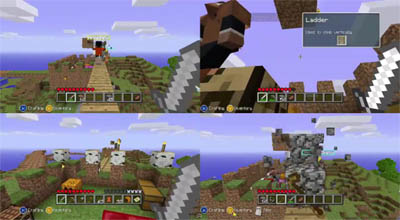
| Observe the following and you will get something like this! |
Before I get started, please note that you must have an Xbox connected to a HDTV in order to use splitscreen mutiplayer on Minecraft Xbox. And by saying that, I mean it.
Now let's get started, shall we? Observe the following or else you won't get anywhere.
 On your Xbox 360...
- Go to the Settings hub and then select System
- Select Console Settings
- Select Display
- Change your display setting to 1080i
If you are not able to do the above, that means you do not have a HDTV. Now time for the Minecraft part.
After setting your display to 1080i
- Go into Minecraft and open a world on 1 controller only
- Connect your 2nd controller to your Xbox 360
- If your second controller successfully connects, your screen should say PRESS START, and do that.
- Repeat step 3 if you want to connect more controllers (up to 4 controllers)

No comments:
Post a Comment